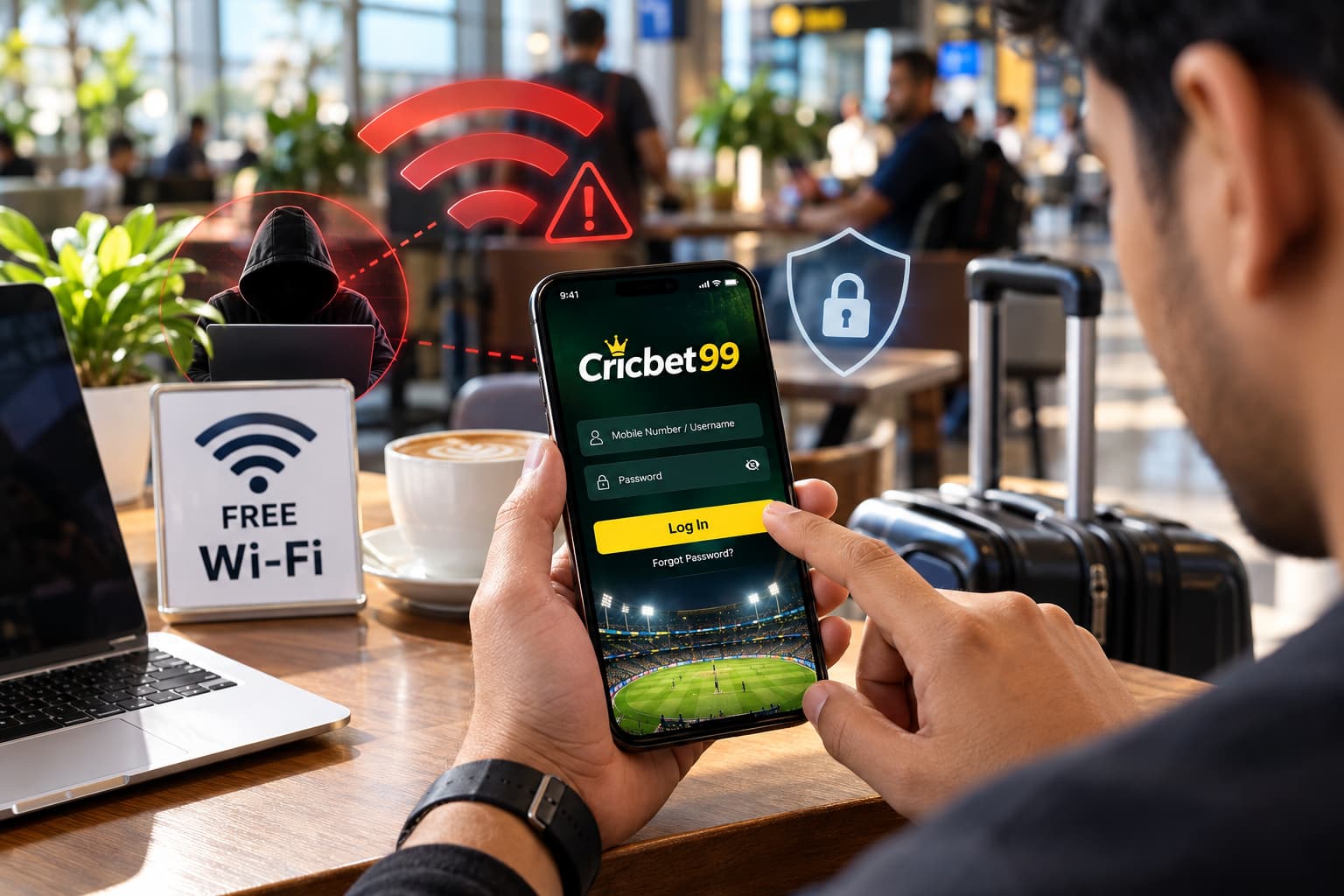
Public Wi-Fi is convenient. Whether you are sitting in a café, waiting at an airport, staying in a hotel, or travelling, connecting to a free network can save mobile data and keep you online. However, convenience does not always mean security.
If you use your Cricbet99 ID on a public network, it is important to understand the potential security risks before entering your login details or accessing account-related information. An unsecured or fake Wi-Fi network may expose sensitive information or make phishing and account-access attacks easier.
This guide explains common public Wi-Fi risks and practical steps users can take to improve Cricbet99 security and protect their account credentials.
Why Public Wi-Fi Can Be Risky for Your Cricbet99 ID
Your home or personal mobile connection is generally under your control. Public networks are different because many unknown devices may be connected to the same network.
Not every public Wi-Fi network is dangerous. However, you usually cannot verify how the network has been configured, who manages it, or who else is connected.
This becomes particularly important when accessing an account that contains personal or financial information. When logging into Cricbet99, users should treat their username, registered mobile number, password, verification codes, and payment-related details as sensitive information.
The safest approach is simple: avoid entering sensitive account information on a network you do not trust.
1. Watch Out for Fake Public Wi-Fi Networks
One of the easiest traps to fall into is connecting to a network simply because its name looks legitimate.
Imagine that a café provides Wi-Fi called:
Cafe_Guest
Someone nearby could potentially create another hotspot called:
Cafe_Free_WiFi
A user may connect to the second network assuming that it belongs to the café.
This type of setup is sometimes known as a rogue or “evil twin” hotspot. The network is designed to resemble a legitimate public connection.
Before accessing your Cricbet99 ID, confirm the correct Wi-Fi name with the venue or staff. Avoid unfamiliar networks that appear unexpectedly, particularly open networks that do not require any authentication.
2. Avoid Logging In Through Unfamiliar Links
Public Wi-Fi is not the only concern. Phishing pages can imitate the appearance of legitimate login screens and encourage users to enter their credentials.
For example, you might receive a link through:
- Telegram
- SMS
- Social media
- Online advertisements
A page may display Cricbet99 branding while actually using an unrelated domain.
Before entering your Cricbet99 ID and password, check the website address carefully. Do not assume that a page is legitimate simply because it contains a familiar logo, colour scheme, or login form.
For Cricbet99 security, users should access their account through a known and verified website or app rather than following random login links.
Read More<<<How to Keep Your Cricbet99 Account Secure
3. HTTPS Is Important, but It Is Not Proof That a Site Is Genuine
Modern browsers display HTTPS when communication between the browser and website is encrypted.
That protection is important, but there is a common misunderstanding: HTTPS does not automatically prove that a website belongs to the company it claims to represent.
A phishing website can also use HTTPS.
Therefore, when accessing Cricbet99 India services, users should check both the secure connection and the actual domain name. A padlock alone should not be treated as sufficient evidence that a login page is genuine.
4. Avoid Sensitive Transactions on Public Wi-Fi
If possible, avoid performing sensitive account activities while connected to public Wi-Fi.
This can include:
Cricbet99 Login → Account Settings → Verification → Deposit/Withdrawal → Password Changes
Activities involving payment information, identity verification, password changes, or other sensitive account details deserve additional caution.
If you need to perform an important transaction, switching to your personal mobile-data connection is generally a safer option than using an unknown public hotspot.
Read More<<<Cricbet99 ID Free Me Milegi Ya Paid Hai? Complete Truth & Registration Guide (2026)
5. Never Share Your Cricbet99 Password or OTP
Your password should remain private.
The same applies to OTPs and other verification codes. These codes are designed to confirm that the person attempting to access an account has control of the registered device or contact method.
Never send your Cricbet99 ID password, OTP, PIN, or verification code to someone through chat, SMS, email, or social media.
If somebody unexpectedly asks for a verification code while claiming to provide account support, do not provide it until you have independently verified the request through an official support channel.
6. Don’t Save Passwords on Shared Devices
Public Wi-Fi and public devices create different security risks, but users often encounter both while travelling.
Avoid signing into your Cricbet99 account using computers at hotels, cafés, airport lounges, libraries, or other shared locations.
A shared computer may store:
- Browser history
- Login sessions
- Autofill information
- Cookies
- Saved passwords
If you have no alternative and must use a shared device, never select “Remember Me” or “Save Password.” Sign out completely when finished.
Using your own trusted device is preferable.
7. Keep Your Phone and Browser Updated
Security updates are not only about adding new features. They frequently fix vulnerabilities discovered in operating systems, browsers, and applications.
For stronger Cricbet99 security, keep your smartphone operating system and browser updated.
Users should also maintain a screen lock using a strong PIN, password, fingerprint, or another supported biometric method. This provides an additional layer of protection if the device is lost or stolen.
8. Disable Automatic Wi-Fi Connections
Many smartphones can automatically reconnect to previously used Wi-Fi networks.
While convenient, automatic connections can cause your device to join networks without you paying close attention.
Check your phone’s Wi-Fi settings and consider disabling automatic connection to unknown or unsecured networks. Remove public networks that you no longer use.
This small change can reduce accidental exposure to suspicious hotspots.
Read More<<<How to Recover Cricbet99 ID if You Forgot Credentials
9. Use a Strong and Unique Cricbet99 Password
A strong password remains one of the most important account-protection measures.
Your Cricbet99 ID password should not be the same password you use for your email, social media, banking, shopping, or other online accounts.
If another website experiences a data breach and you reuse the same credentials everywhere, attackers may attempt those credentials on other services.
A stronger password generally combines sufficient length with a mixture of characters or, where supported, a long and unique passphrase.
Most importantly, make it unique to the account.
10. Be Careful With Unexpected Login Messages
Pay attention to unusual account activity.
Warning signs may include unexpected password-reset messages, verification codes you did not request, unfamiliar login notifications, or account information that appears to have changed.
If something seems unusual, avoid clicking links contained in unexpected messages. Instead, access Cricbet99 independently through a trusted route and review your account.
If you believe your credentials may have been exposed, change the password from a trusted device and network and contact the appropriate support channel.
What Should You Do If You Logged In Through Suspicious Wi-Fi?
Connecting to public Wi-Fi does not automatically mean that your account has been compromised.
However, if you entered your Cricbet99 ID credentials on a network that you later discovered was suspicious, take precautionary steps.
First, disconnect from that network and switch to a trusted internet connection. Then change your account password. If the same password is used elsewhere, change those passwords as well.
Review your account for unfamiliar activity and check whether any security or contact details have changed. If you notice anything you do not recognise, contact official support promptly.
Public Wi-Fi Security Checklist for Cricbet99 Users
Before accessing your account, remember these basic precautions:
- Confirm that you are connected to the correct Wi-Fi network.
- Prefer mobile data for sensitive account activity.
- Verify the domain before entering Cricbet99 login credentials.
- Do not treat HTTPS alone as proof that a website is genuine.
- Never disclose your password or OTP.
- Use a unique password for your Cricbet99 ID.
- Avoid saving login credentials on shared devices.
- Keep your browser and operating system updated.
- Disable automatic connections to unknown Wi-Fi networks.
- Review unexpected account or verification notifications carefully.
Final Thoughts
Using public Wi-Fi does not mean you have to stop accessing the internet while travelling. The key is knowing which activities deserve extra caution.
For Cricbet99 security, avoid entering sensitive credentials on unknown networks whenever possible. Verify the website before logging in, protect your Cricbet99 ID and OTP, use a unique password, and choose a trusted connection when managing payment or account information.
A few simple security habits can significantly reduce avoidable risks and help users maintain safer access to their Cricbet99 account instantly
FAQs on Cricbet99 Security
- Is it safe to log in to Cricbet99 using public Wi-Fi?
Public Wi-Fi can carry additional security risks because you may not know who operates the network or how securely it is configured. For sensitive account activity, a trusted private connection or personal mobile data is preferable.
2. Can somebody steal my Cricbet99 ID through Wi-Fi?
Simply connecting to Wi-Fi does not mean an account will be stolen. Risks increase when users connect to malicious networks, enter credentials into phishing websites, reuse compromised passwords, or disclose verification information.
3. Should I use mobile data for Cricbet99 login?
When the alternative is an unknown or unsecured public Wi-Fi network, using your own mobile-data connection can reduce exposure to risks associated with that public network.
4. What information should I never share?
Do not disclose your Cricbet99 password, OTP, PIN, or other private verification credentials to unknown individuals.
5. What should I do if I suspect my Cricbet99 ID has been compromised?
Use a trusted device and internet connection to change your password, review the account for unfamiliar activity, and contact official support if you notice unauthorised changes or access.

Ethan is an experienced betting specialist and former casino analyst working at Cricbet99, with strong expertise in online sports betting, live odds analysis, and market strategy. He focuses on creating clear, research-driven content that helps users understand betting systems, match trends, and wagering strategies simply and practically. With deep knowledge of cricket, football, and casino gaming markets, Lenin provides insights that combine data analysis with real-time sports understanding. His work includes betting guides, platform reviews, bonus breakdowns, and predictive strategies designed for both beginners and advanced users.